
An Overview of Apache Flink's Deployment Modes
The relationship between an Apache Flink cluster and Flink jobs running on it can be rather versatile. Apache Flink supports different deployment modes for Flink jobs that allow developers to focus on utilizing the appropriate mode depending on their needs and job-specific requirements. In the following sections we take a brief look at the available deployment modes in Apache Flink and discuss which mode is better suited depending on your specific Flink-job setup and SLA requirements.
Application Mode
In Flink 1.11, the community introduced a new deployment mode in Apache Flink, namely ‘Application Mode’. Application Mode is an optimization aiming at making the Flink job submission process extra lightweight, especially for situations where multiple Flink applications need to be submitted frequently. The main goal of this deployment mode is reducing the steps and necessary bandwidth associated with downloading the application’s dependencies locally, executing the main() method to extract a representation of the application that Flink’s runtime can understand (i.e. the JobGraph) and shipping the dependencies and the JobGraph(s) to the cluster. Application Mode offers the same level of isolation guarantees as the Per-Job mode and is suggested for production environments.
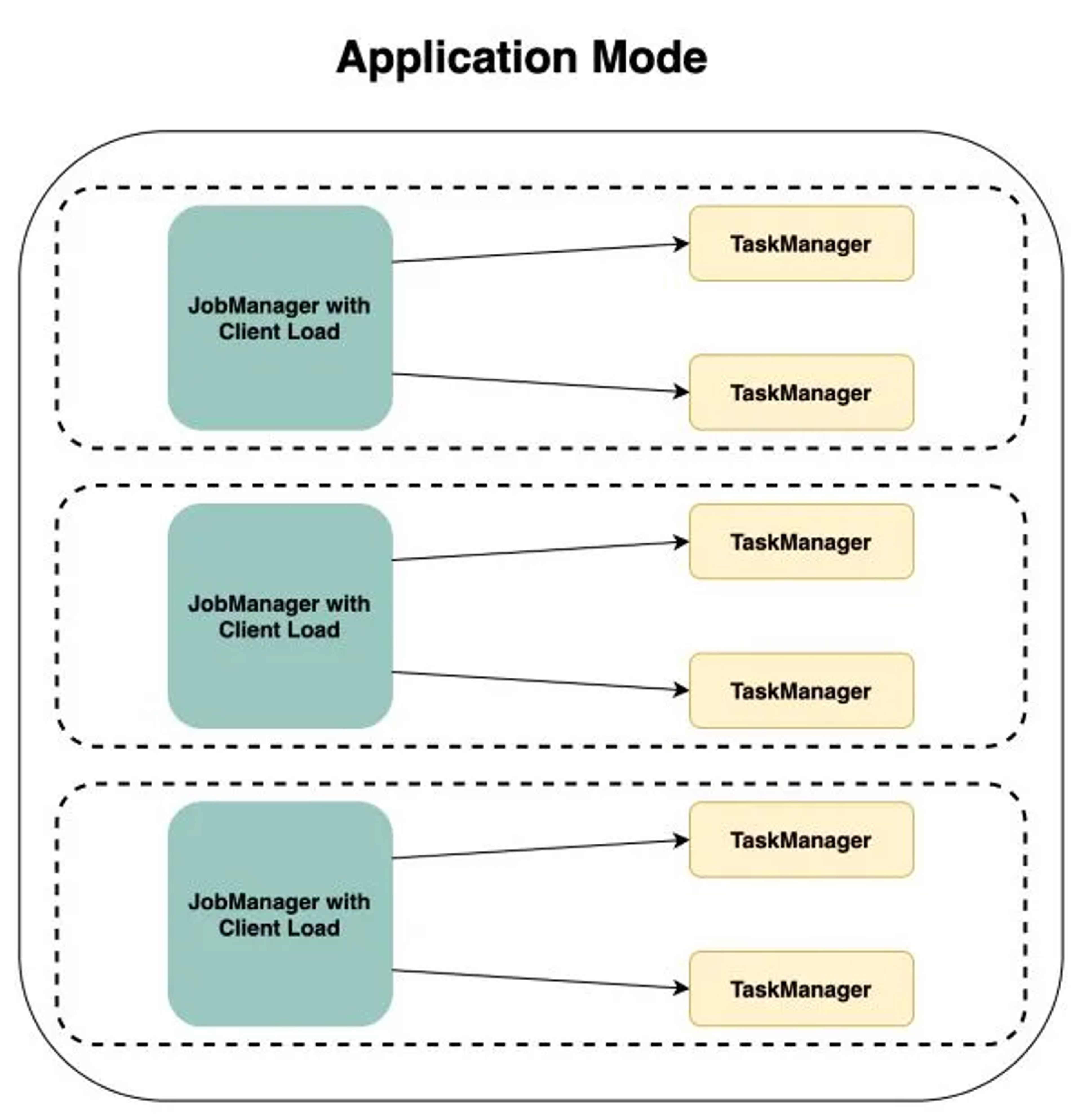
Application Mode creates a cluster per submitted application, but this time, the main() method of the application is executed on the JobManager. While this deployment might seem relatively similar to the Per-Job mode (described later), Application Mode allows for a much more flexible and lightweight order of the job execution since this is not affected by the deployment mode but by the call used to launch the job (or the bundle of jobs) being deployed. For a detailed overview of Application Mode in Apache Flink you can refer to this blog post.
Session Mode
Session mode is probably the simplest deployment mode for Flink applications. Clusters in session mode are long-lived, meaning that a Flink job in session mode will assume that a running cluster already exists and will use the resources of that cluster to execute any submitted application(s). In session mode, the same cluster executes multiple jobs, meaning there is no isolation between the resources since all task managers in the cluster are or can be shared.
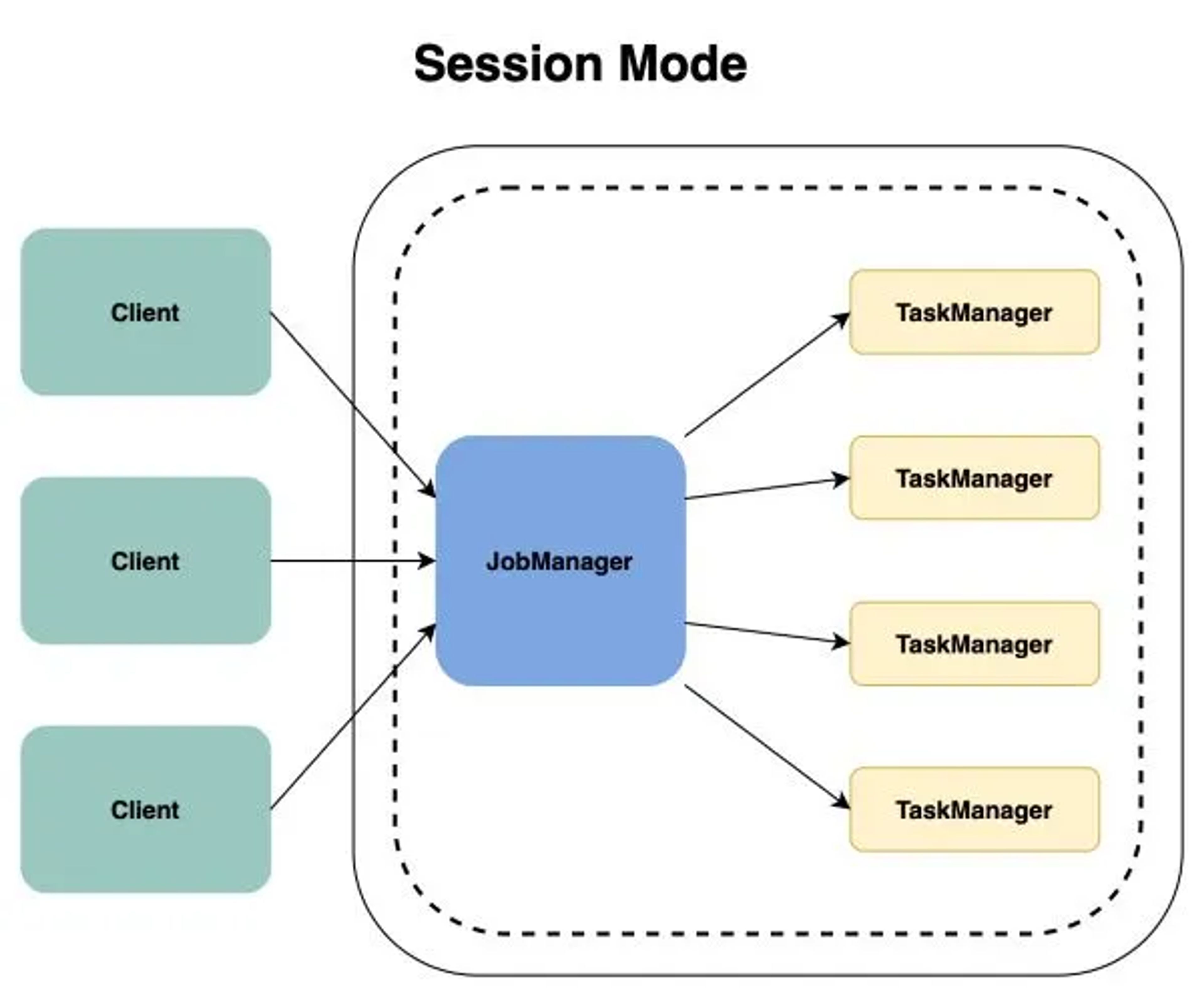
With session mode, developers do not need to worry about the additional overhead of spinning up a new cluster for a submitted Flink application since the jobs use the existing cluster resources. However, with session mode, since all Flink applications share the resources of the same cluster, a misbehaving job can bring down the entire cluster and potentially impact unrelated Apache Flink deployments. Because of the same reason, session mode can bring additional challenges when it comes to ensuring reliable security credentials isolation between the deployments. As a result, we would suggest session mode as a best fit for relatively simple, short jobs (such as executing simple FlinkSQL queries) that have a (relatively) predictable behavior.
Per-Job Mode
The last mode is the Per-Job mode. As the name suggests, with the Per-Job mode each Flink application gets an isolated cluster with reserved resources in the cluster. When a Flink application is submitted with the Per-Job mode it will spin up a new cluster for every submitted job, using the underlying resource management framework. When the Flink deployment is complete, the cluster will become unavailable and any resources or files will be removed from the cluster.
Per-job mode was deprecated in Flink 1.15 and has been removed in Flink 2.0; use application mode instead (see the Flink 2.0 release notes).
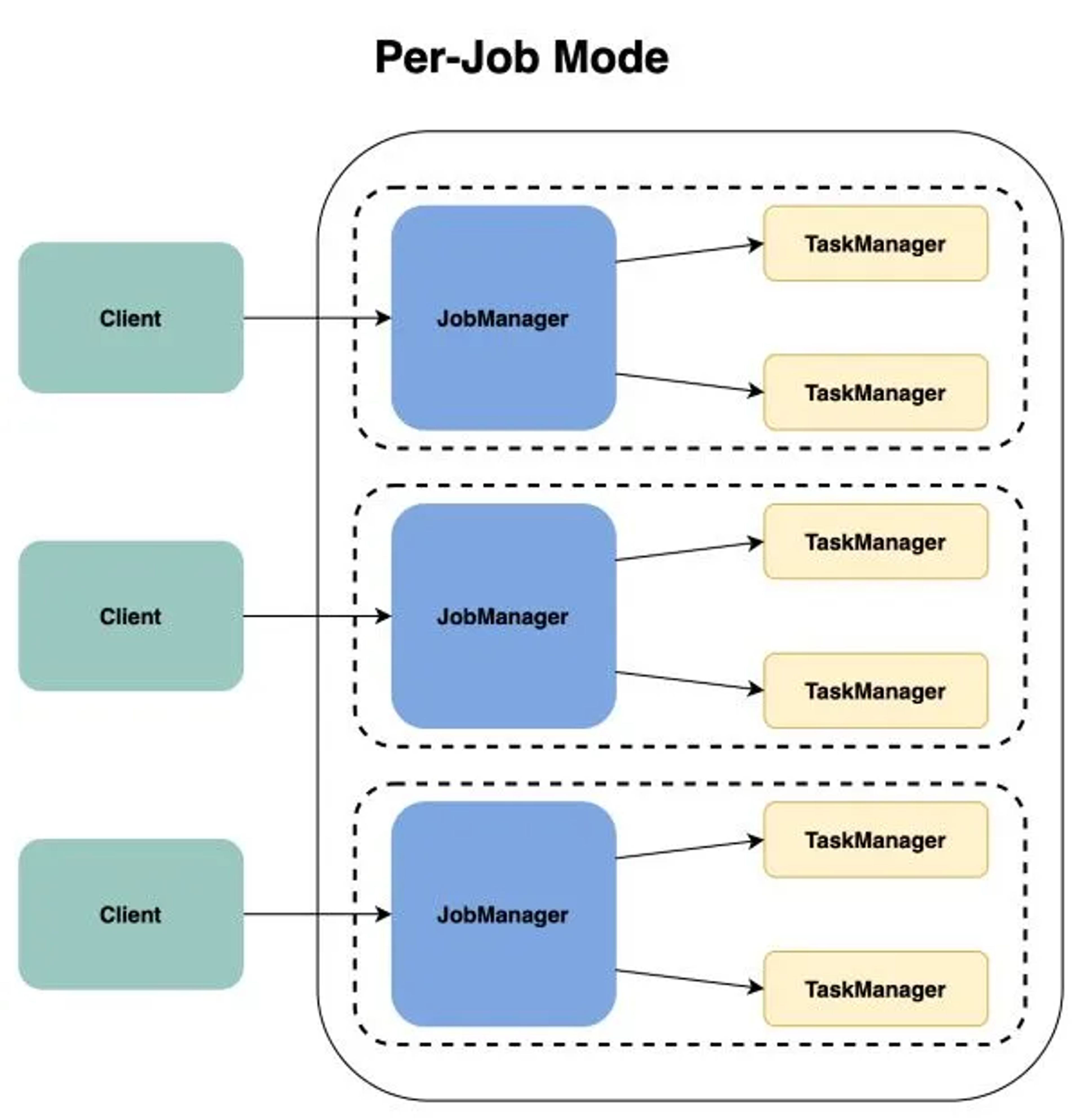
With the Per-Job mode, the JobManager is overseeing the execution of a single job, while any task manager processes are specifically dedicated to executing a single .jar file. For all these reasons, Per-Job mode provides significantly better resource isolation guarantees than Session Mode (described above). However, compared with the Application Mode, Per-Job mode is very heavy at the client side which could lead to huge resources cost. So, for now, the only recommended use case for Per-Job Mode is when a cluster cannot access the dependencies to build the job and only a ‘client’ can.
With the different deployment modes available in Apache Flink, developers have the flexibility to use their underlying resource management framework (such as YARN or Kubernetes) in a flexible manner, tailored to their needs and requirements. For more information on Apache Flink’s available deployment modes, you can refer to the official Apache Flink® documentation.
Frequently Asked Questions
What are the deployment modes in Apache Flink?
Apache Flink supports Application Mode, which creates a cluster per submitted application and runs main() on the JobManager, and Session Mode, where long-lived clusters run multiple jobs on shared resources. The older Per-Job mode was deprecated in Flink 1.15 and removed in Flink 2.0 in favour of Application Mode.
What is the difference between Application Mode and Session Mode in Flink?
Application Mode creates a dedicated cluster per application, gives the same isolation as Per-Job mode, and is suggested for production. Session Mode runs multiple jobs on one long-lived cluster with no resource isolation, so a misbehaving job can bring down the entire cluster.
When should I use Session Mode in Apache Flink?
Session Mode is best suited to relatively simple, short Flink jobs with predictable behavior, such as simple Flink SQL queries. It avoids the overhead of spinning up a new cluster per job, but shared resources make isolation of failures and security credentials harder.
Is Per-Job mode still supported in Flink 2.0?
No. Per-Job mode was deprecated in Flink 1.15 and has been removed in Flink 2.0; Application Mode should be used instead.